

Quick Summary
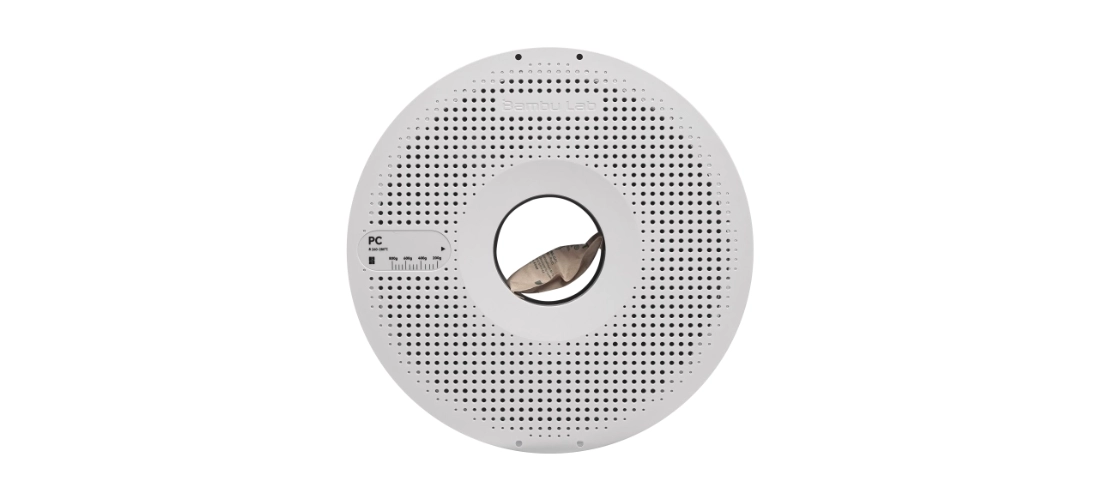
PC filament is a strong and heat-resistant 3D printing material used in FDM 3D printers. PC stands for Polycarbonate.1
PC is commonly used for strong functional parts, engineering parts, brackets, jigs, fixtures, protective covers, and parts that need better heat resistance than PLA, PETG, or ABS.
However, PC is not a beginner-friendly filament. It is harder to print because it needs high printing temperature, strong bed adhesion, dry filament, and usually an enclosed 3D printer. For beginners, PLA and PETG are easier materials to start with.
3D printing is becoming more popular in Malaysia. Many beginners start with PLA because it is easy to print. After that, some users move to PETG, ABS, or TPU depending on their project needs.
For users who need stronger and more heat-resistant parts, PC filament can be a useful option.
PC is known for its strength, toughness, and heat resistance. It is often used for functional parts that need to handle stress, impact, and warmer environments.2
However, PC is more advanced than normal filaments. It needs a suitable printer, correct settings, and proper filament storage.
This guide explains what PC filament is, what it is used for, its advantages, limitations, and whether PC is suitable for your 3D printing project.
Table of Contents
- What is PC Filament?
- What is PC Used For?
- Is PC Good for Beginners?
- Advantages of PC Filament
- Limitations of PC Filament
- PC vs PLA
- PC vs PETG
- PC vs ABS
- Can Bambu Lab and Elegoo Print PC?
- How to Store PC Filament
- Should You Buy PC Filament?
- Why Buy PC Filament from Jumitech?
What is PC Filament?
PC filament is a 3D printing material used in FDM 3D printers. The printer heats the filament and pushes it through a nozzle to build the model layer by layer.
PC stands for Polycarbonate. It is known as a strong, tough, and heat-resistant plastic material.
In 3D printing, PC is usually used when normal filaments such as PLA, PETG, or ABS are not strong enough for the project.
What is PC Used For?
PC is suitable for prints that need strength, durability, and heat resistance.
PC can be used for:
- Engineering parts
- Functional prototypes
- Brackets
- Jigs
- Fixtures
- Protective covers
- Strong housings
- Machine parts
- Tool holders
- Parts exposed to warmer environments
- Impact-resistant parts
- Strong replacement parts
PC is best for users who need stronger and more technical 3D printed parts.
Is PC Good for Beginners?
PC is not usually recommended for complete beginners.
This is because PC is harder to print compared to PLA, PETG, and ABS. It usually needs higher nozzle temperature, higher bed temperature, good bed adhesion, dry filament, and a stable printing environment.
PC also prints better with an enclosed 3D printer. Without an enclosure, large PC prints may warp or fail.
For beginners, it is better to start with PLA first. After that, PETG is a good second material. PC is more suitable for users who already understand 3D printer settings and need stronger parts.
Advantages of PC Filament
1. Very Strong
PC is stronger than many common 3D printing filaments. It is suitable for parts that need to handle stress and daily use.3
2. Good Heat Resistance
PC has better heat resistance compared to PLA and PETG. This makes it useful for parts exposed to warmer environments.4
3. Good Impact Resistance
PC is tough and impact-resistant, making it useful for protective parts and functional components.
4. Suitable for Engineering Parts
PC is commonly used for engineering-style prints, jigs, fixtures, brackets, and strong prototypes.5
5. More Durable Than Basic Filaments
PC is a good choice when normal PLA or PETG parts are not strong enough.6
Limitations of PC Filament
1. Harder to Print
PC is an advanced filament and needs more careful printer setup.
2. Needs High Temperature
PC usually needs a higher nozzle and bed temperature compared to PLA and PETG.
3. Enclosure is Recommended
PC prints better in an enclosed printer because it helps keep the printing temperature stable.
4. Can Warp
PC can warp if the printing environment is not stable or if bed adhesion is not strong enough.
5. Must Be Kept Dry
PC absorbs moisture from the air. Wet PC filament can cause poor print quality, bubbling, popping sounds, weak prints, and failed prints.7
PC vs PLA
| Feature | PLA | PC |
|---|---|---|
| Print Difficulty | Easy | Hard |
| Strength | Good for simple prints | Very strong |
| Heat Resistance | Low | High |
| Warping | Low | Higher |
| Enclosure Needed | Usually no | Recommended |
| Best For | Beginners and decoration | Strong functional parts |
Choose PLA if you want easy printing and simple models.
Choose PC if you need stronger, tougher, and more heat-resistant parts.
PC vs PETG
| Feature | PETG | PC |
| Print Difficulty | Medium | Hard |
| Strength | Strong | Stronger |
| Heat Resistance | Good | Better |
| Flexibility | Slightly flexible | Tough and rigid |
| Enclosure Needed | Usually no for simple prints | Recommended |
| Best For | Everyday functional parts | Engineering and high-strength parts |
Choose PETG if you want stronger parts but still want easier printing.
Choose PC if you need better strength, toughness, and heat resistance.
PC vs ABS
| Feature | ABS | PC |
| Print Difficulty | Hard | Harder |
| Strength | Strong | Stronger |
| Heat Resistance | Good | Better |
| Warping | Can warp | Can warp |
| Enclosure Needed | Recommended | Recommended |
| Best For | Heat-resistant functional parts | Strong engineering parts |
Choose ABS if you need heat-resistant parts and already have an enclosed printer.
Choose PC if you need even stronger and more durable functional parts.
Can Bambu Lab and Elegoo Print PC?
Yes, some Bambu Lab and Elegoo FDM printers can print PC, but the printer must be suitable.
For Bambu Lab users, PC is more suitable for enclosed printers such as:
- Bambu Lab P1S
- Bambu Lab X1 Carbon
- Bambu Lab H series
Open-frame printers such as Bambu Lab A1 and A1 mini are better for easier materials such as PLA, PETG, and TPU. PC is more difficult on open-frame printers because it needs stable heat and better control.
For Elegoo users, PC is more suitable for FDM printers that can support higher nozzle temperature, higher bed temperature, and stable printing conditions.
Elegoo Mars and Elegoo Saturn are resin printers, so they do not use PC filament.
For best results, use the correct PC slicer profile, dry the filament properly, and print in a stable environment.
How to Store PC Filament
Malaysia is hot and humid, so filament storage is very important.
PC can absorb moisture from the air. Wet PC filament can cause poor print quality, popping sounds, bubbles, rough surfaces, weak layer adhesion, and failed prints.
To store PC properly:
- Keep it in a sealed bag
- Use an airtight container
- Add silica gel or desiccant
- Keep it away from direct sunlight
- Use a dry box if printing often
- Use a filament dryer before printing if needed
Good storage helps PC print cleaner, stronger, and with fewer failures.
Should You Buy PC Filament?
You should buy PC filament if you need strong, tough, and heat-resistant 3D printed parts.
PC is suitable for:
- Engineering parts
- Functional prototypes
- Brackets
- Jigs
- Fixtures
- Machine parts
- Protective covers
- Tool holders
- Strong housings
- Replacement parts
- High-strength projects
If you are a complete beginner, start with PLA first. If you want something stronger but easier than PC, try PETG. Choose PC when you need advanced strength and have a suitable printer setup.
Why Buy PC Filament from Jumitech?
Buying filament is not only about choosing the cheapest spool. Low-quality PC filament can cause warping, clogging, weak prints, poor bed adhesion, and failed prints.
At Jumitech, customers can explore 3D printers, PC filament, PLA filament, PETG filament, ABS filament, TPU filament, and accessories for Bambu Lab and Elegoo users.
Jumitech is suitable for:
- Users buying PC filament for the first time
- Bambu Lab users
- Elegoo users
- Schools and students
- Hobbyists and makers
- Small businesses
- Users who need help choosing between PLA, PETG, ABS, TPU, and PC
Jumitech can help recommend the right filament based on your printer, project, and printing goal.
Sources
- (2025). Polycarbonate Filament: Strength, Uses & Printing Guide. KAD 3D. https://kad3d.com.au/polycarbonate-filament-guide/ ↩︎
- Parsons, S. (2026). 3D Printing Materials Compared: Which Plastic Is Right for Your Part?. Partsnap. https://www.partsnap.com/3d-printing-materials-compared/ ↩︎
- (2023). Polycarbonate Filament: The Complete PC Filament 3D Printing Guide. 3DSourced. https://www.3dsourced.com/3d-printer-materials/polycarbonate-pc-filament-3d-printing/ ↩︎
- (2026). PC vs PLA. FilamentCompare. https://filamentcompare.com/pc-vs-pla/ ↩︎
- (2026). PC | Tech-Labs. UltiMaker. https://tech-labs.com/ultimaker/3d-printing-materials/s-series-materials/pc ↩︎
- (2026). PLA vs PETG vs ABS Strength Comparison: Tensile, Impact, and Layer Adhesion. Filabase. https://filaments.ai-driven.ai/content/pla-vs-petg-vs-abs-strength ↩︎
- Samcraft. (November 5, 2024). Moisture Effects on 3D Printer Filament: Print Quality Test!. YouTube video. https://www.youtube.com/watch?v=ZZwyoUr2Nuc ↩︎